


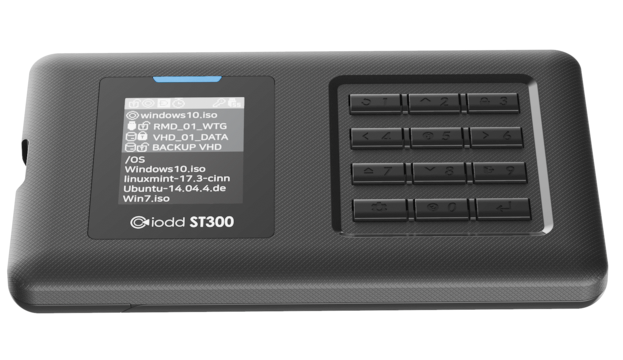
Iodd seems to be adept at making clones of other company’s products (see Zalman). This one may be a clone also, though it’s hard to know. The ST300 drive enclosure is something of a unique product. It’s an external drive, yes, but when you place CD image files in a folder named _ISO, you can internally mount up to four virtual drives and boot from them. This is great for installing operating systems as it’s the standard format for these. Today, I take a look.
Now, there are software ways to do this as many will point out. You could use the great Ventoy to do something similar. The one thing that makes ‘hard’ emulators like ST300 different is that, for more finicky bootable images, you want the target device to use it as natively as possible. Ventoy and their ilk can be a bit tricky for certain images. If you can get your hands on Bart’s PE Builder, you can create bootable ISO’s yourself and use them to great effect.
And the ST300’s novel ability to lock in a mounted ISO file is nifty too, thus making that mounting a little faster on boot up, making it easier to catch the computer’s boot cycle. This drive also supports mounting VHD and IMA files, making it seriously interesting for installing super old stuff, if that’s your bag. Couple this with the use of a good-size 2.5 solid state hard disk, and it starts to meet the real promise of such a unique device. Iodd also has a version of this that takes an M.2 drive1 in a much smaller package.

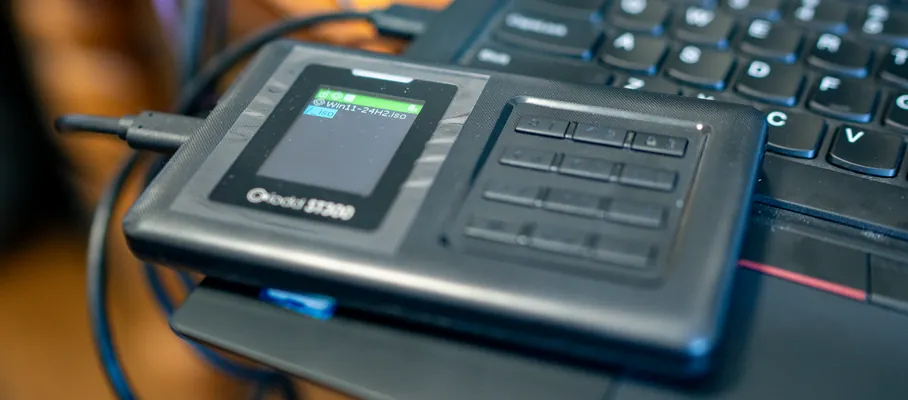
There is one USB Key that remains un-virtualized. It’s the original version of Windows 10, Release to Manufacturing. Using this, it picks up the BIOS SLIC OEM information and uses that (if there is one). This key is notable that it can boot natively using either legacy or UEFI. No matter what I’ve tried, I’ve been unable to rip this great installer into an ISO file and get it working on a device like ST300. Given that, this key stays in the same case as the iodd enclosure.


The ST300 has an easy-to-use keyboard that includes numbers in a phone configuration. Most often you’re going to use these to get to the built-in menu and mount your drives. The ST400, the next model up, also supports encrypting this data, so this keypad then doubles as a password entry to gain access.

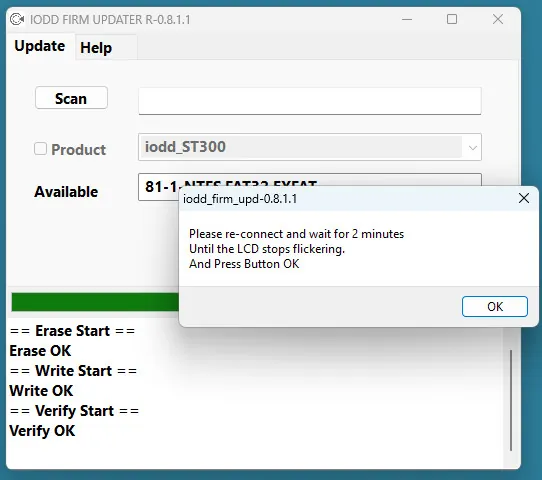
If you’re in I.T., this is the kind of thing that will be in your regular-use toolkit. More details on this drive enclosure can be found here (while the site is up). The device supports firmware updates, much of that info can be found in their Webdav server. Iodd also has a ton of info in its Wiki.
- must be a slower SATA drive, though, so watch out for that. ↩︎