


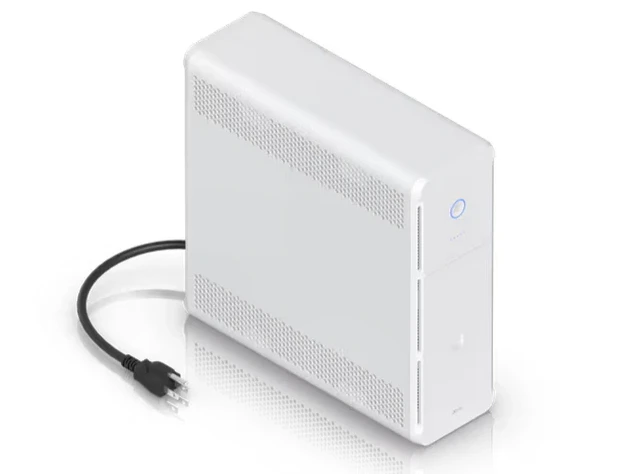
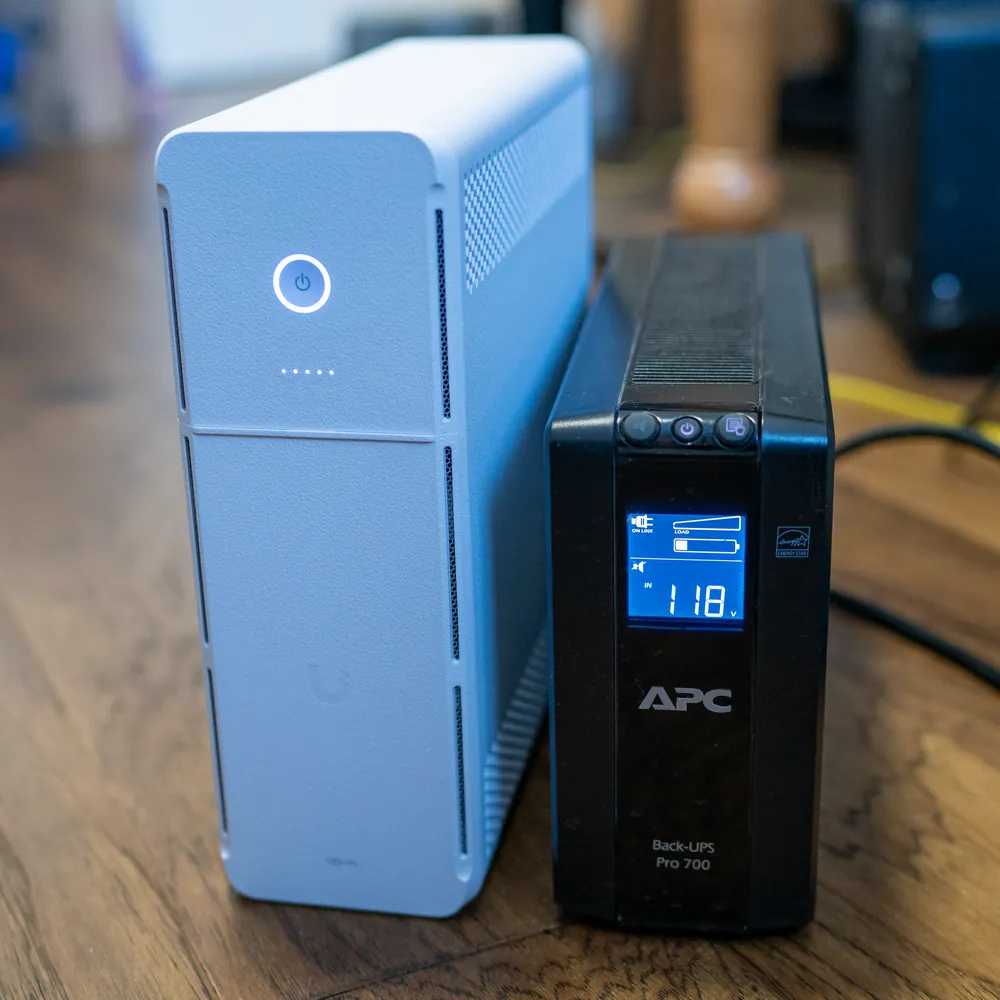
Coming in the standard tower look that APC popularized, Unifi’s product is white rather than the typical black look. The UPS comes with the battery unplugged and one simply has to open the front panel and connect the battery. Once the UPS is then plugged into the network it can be adopted by your Unifi network controller.
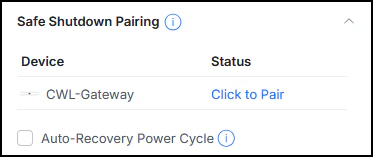
Of the more unique features of this device is the ability to pair with other Unifi ecosystems devices and do a “safe” shutdown. Not all devices support this, but in my case, the gateway I was running did, so I enabled that.

Ports on the UPS Tower are well-described, but the ports cannot individually be shut off. Many network-based PDUs offer this kind of support, so it would be a nice remote option, but not here. As is typical of these kinds of UPSes, there is a bank of battery backed outlets and a bank of non-battery supported outlets (or surge protected).

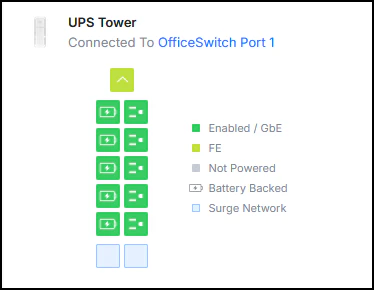
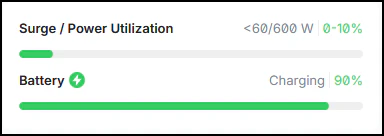
When something is plugged into any of these outlets, the controller does not expose any new information such as voltage used or even that something is drawing power from that outlet. The only real indications of a real power draw would come from the “Power Ultilization” progress bar which is common with similar UPS’.

The UPS Tower does not sport a front LCD as most other comparable models do in this range of use.

At a current price of $229.00 CDN plus taxes, this is incredibly competitive for these types of products that can exceed $500 or more. At the time of writing, the battery – an MS9-12 – is roughly $50.00 CDN to replace, which is also quite reasonable. It may also be available on Amazon or a similar large retailer.