


As many years I’ve worked with Windows, there only a handful of times I’ve had the chance to explore and use the version built specifically for reduced instruction set computers (RISC). Getting my hands on one such device gave me time to look closer. The Windows download site offers the ARM-based iso for download, so it’s quite easy to get. If you’re running a computer with an Apple silicon CPU, for example, use that iso file with the great UTM virtualisation software and install Windows that way. In my case, installing this on a Macbook Neo meant the VM had to be limited to 4 GB of working memory, but wow, it ran quite well considering how little RAM. For both the reference 64-bit Windows 11 and its ARM counterpart, I installed Windows 11 25H2.
Of great interest to me was how Windows on ARM was going to run applications built for the x86 platform. It is apparently so good that running an emulated process that this version of Windows is preferred over trying to directly emulate x86 in a virtual machine the Mac.
Running executables complied for 64-bit x86 is a breeze and they run quite smoothly.
What surprised me though, was how well Windows on ARM ran 32-bit processes. I’d thought the emulator would be sluggish or just spit out some kind of error, but the opposite was the case. Running my tool 32-tool IU on Windows 11 ARM was smooth and functioned normally with its heavy dependence on the local Windows registry.

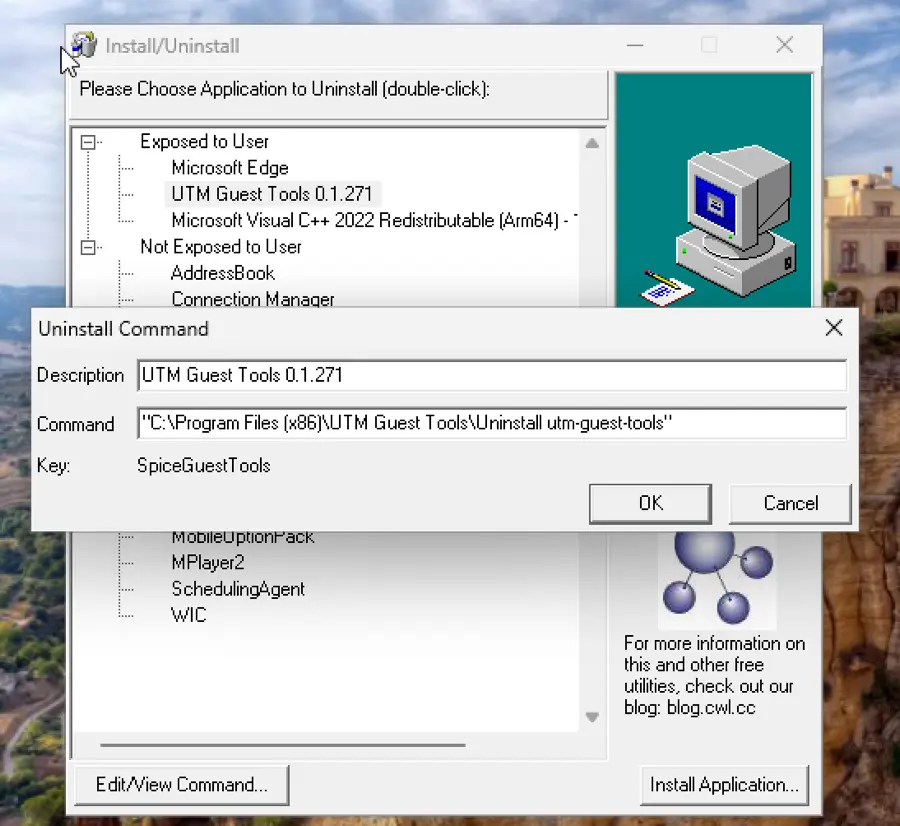
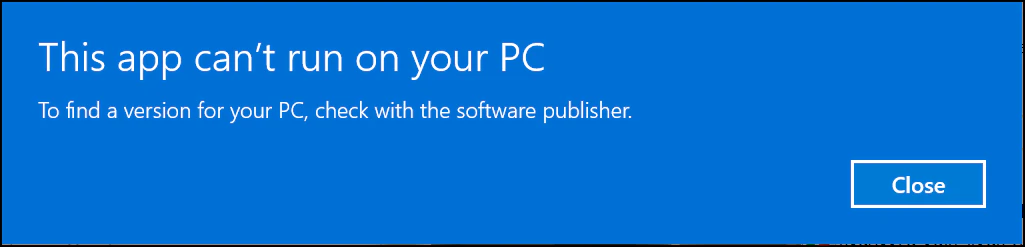
As you might expect, taking an ARM-compiled binary, such as notepad.exe over to the x64 version of Windows yielded some quirky results. Windows was able to decipher version information on this file, but not show in the file properties that the process was for ARM64. Running the process on x64 yielded a very Windows-esque error. It tells you just enough, but with no specificity. If all you had was this error, the truth would remain a mystery:

Comparing two key files in \Windows, the explorer.exe file in x64 and arm platforms, x64’s copy was 3,286,488 bytes while on arm, it is 3,147, 024 bytes in size. In \Windows\system32, the monster OneDriveSetup.exe is 89,771,848 bytes on x64 and 83,903,832 on ARM. These general size differences are repeated on most system files. Most path references to system tools are the same on ARM too with limited need to remember new locations or names for tools you use.
Running Monster 32-Bit Applications
To really dig into the emulator, I thought it might be interesting to throw a brutish application like Office or Acrobat for 32-bit to see if it would even install and run, much less run sluggishly. The first test was to tackle Microsoft Office. Not the current version, but something ancient. I went for the 32-bit version of Office 2016. As I was installing, an error popped up about printer compatibility. Huh, maybe that was Microsoft’s print to PDF. I closed that and carried on. The installation finished rather quickly and more smoothly than I expected, so let’s run one of these big apps: Word. Wild, it ran well and no sign of a slowdown. This is impressive.
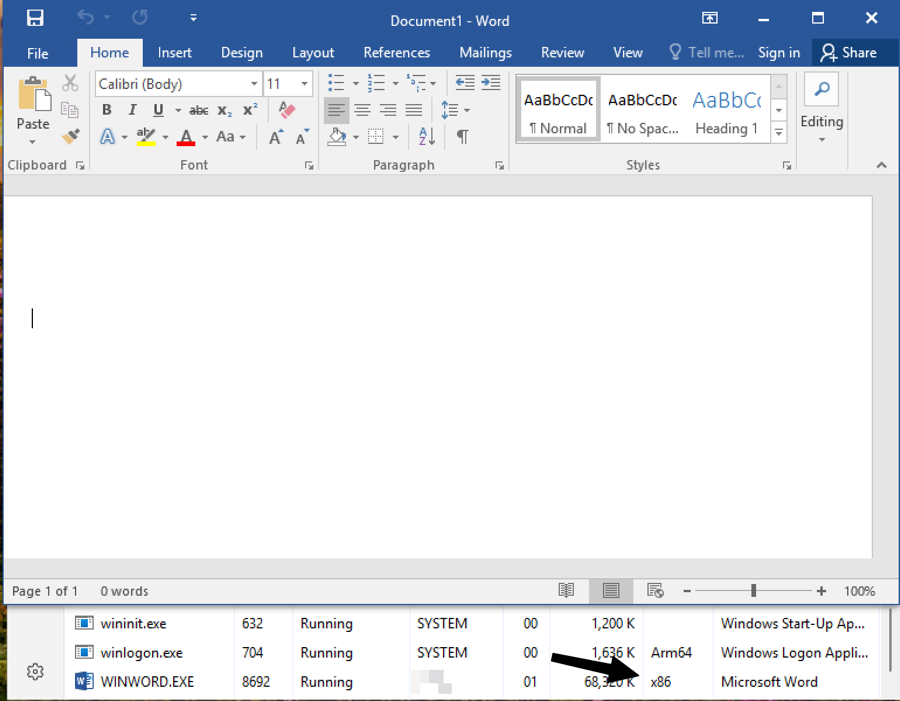

Let’s give Microsoft a slow clap for that one. They have exceeded my already low expectations.
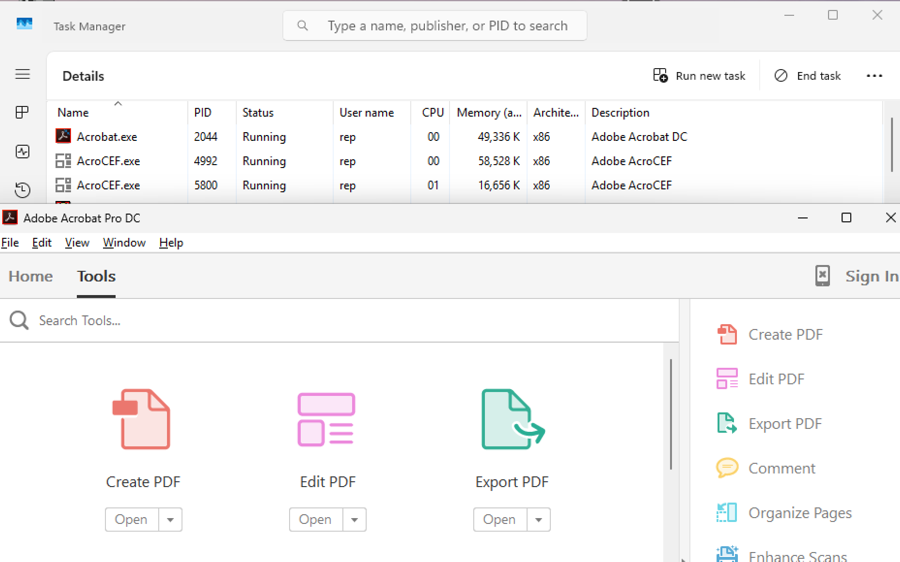
So I turned to Acrobat. Something like DC 2024 the x86 version. Sadly, we interrupt this program for Windows updates, because, of course Microsoft knows exactly when the wrong time is to update an operating system.


So, after the auto-update stupidness, we’re back to the Acrobat setup. Here we go, I found something that feels slower. Launching this felt noticeably slower, but I have to say it did launch. Once I had Acrobat in memory, it was running fine.

Final Thoughts
You know I’m doing all this on a Macbook Neo and the Windows ARM VM is only getting a paltry 4 GB of RAM? It makes no sense how well this runs on so little memory and resources. I expected this operating system to take five minutes to load a non-native binary or the operating system to feel so utterly foreign that it brought me back to the Windows RT days. That’s not the case. This shit works, and works well. With a capable ARM CPU natively, it’s probably fast too.