My Thoughts on the Unifi Travel Router Long Range
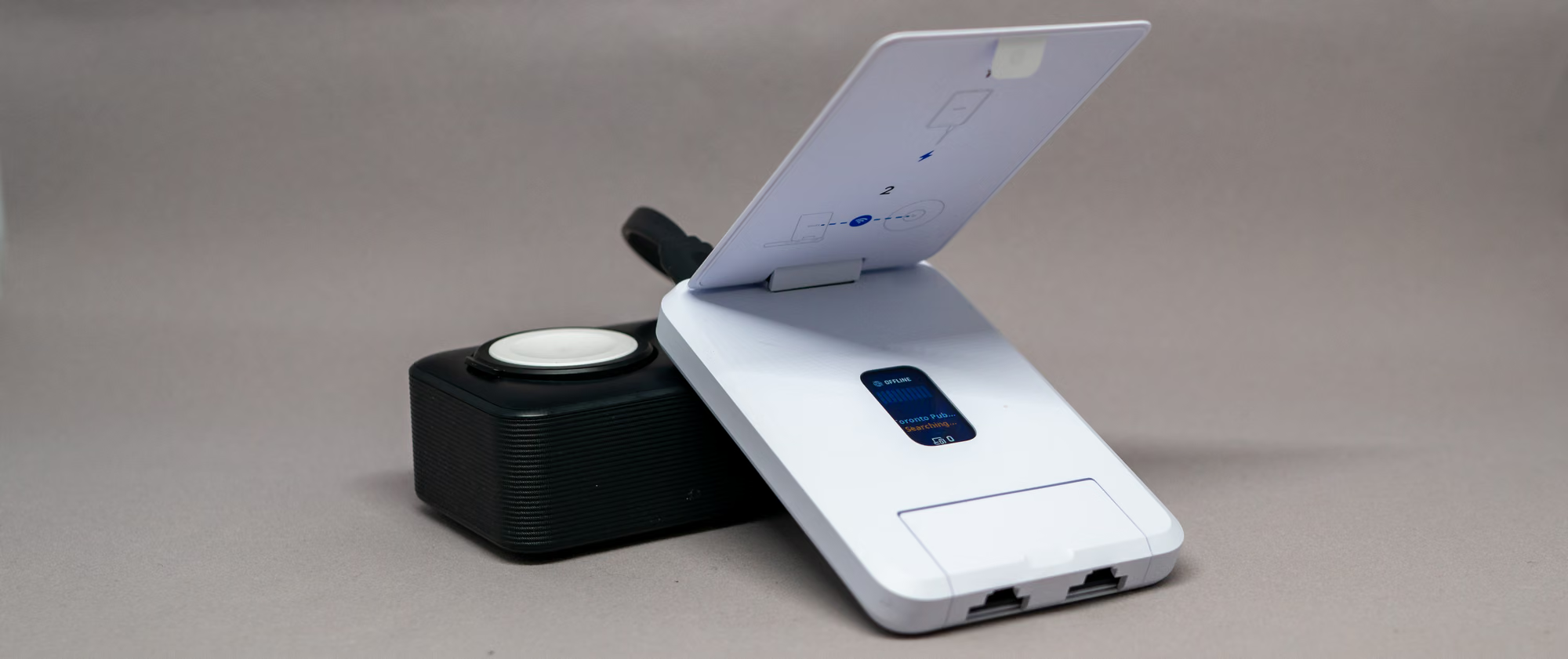 The Unifi travel router with its near-perfect accessory, the Anker MagGo power bank.
Unifi has offered a travel router product for 8 months but it didn’t really come into my orbit because I’d thought of it as a VPN tool that I wouldn’t use much. Certainly, there was more to it, but once I started fully using a UCG fibre gateway - it was time to return to the travel router again. With this, a new world of possibilities opened up; but there was then a long range (UTR) version available, so I picked that up.
First impressions were that the UTR-LR is super compact. It’s about the size of a credit card when closed. Thicker of course, maybe as thick as your mini wallet. The only other thing you need is a USB-C connected power source to operate the device. That power can come from anything, whether it be an iPhone, your car or a power bank. This naturally leads one to think Unifi could find a way to add a battery for a more truly mobile experience. Given its size, the incorporation of power from a MagSafe charger or even magnetic support would be a great addition to this product. Naturally, this is all a trade-off between size and weight and they chose to go the way of external power. Maybe that will be a future “Ultra” edition.
The long range aspect is achieved with an antenna that flips up (much like the Airwire has), and is sometimes difficult to access if you don’t have nails. With something like a key, you can get into the grove and pop it open. Under the flap is a small LCD that displays connection details. Since the LCD is under this flap it is also hidden if the flap is down.
The biggest use-case is seamlessly hooking into your local network and doing all the things you would do locally (such as printing and file sharing). Surprisingly, this super useful. There are a number of services on my systems that are local-only (say like administering a printer’s web interface), and I’ve found having access is really useful. Another example is the Portainer interface for local containers. Useful. And functional because those things would never be externally facing. The travel router serves up a single wireless network that can be the same network I use at the home office. With this, all my devices just come on and connect to that network automatically. Usually this is only two, but it could be the entire family connecting to this one small point of Internet access.
Connections
If using the default connection settings and enabling the “Teleport” feature, a client device can simply connect to its known network (the one you use at home), and the client gets on the 192.168.29.x network. That 29.x network is routed to your home network (in my case 1.x) and also to the Internet through your home device. That means this device acts as a VPN, creating an encrypted for your tunnel your packets as they travel over whatever public network your on.
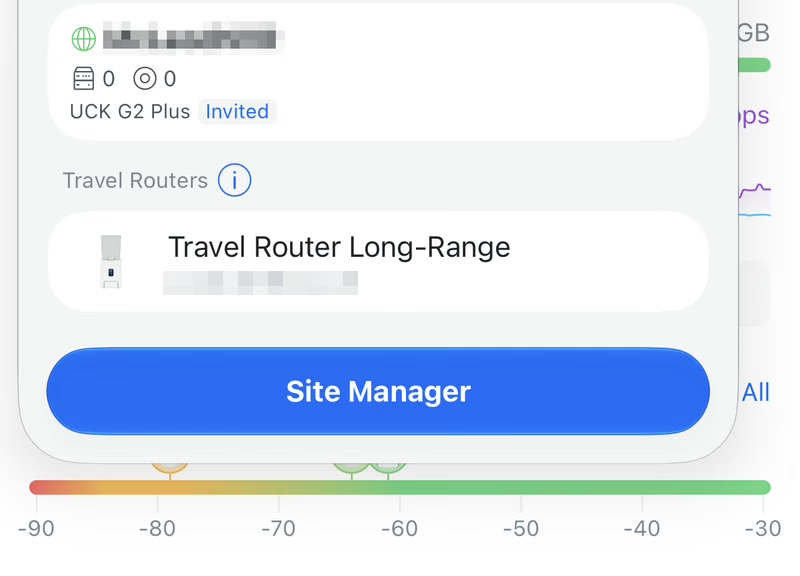
Connecting was a bit unusual to start. After the first time I used the travel router, it no longer popped up in the Unifi interface. This led me to factory reset the router to make the interface pop up again. None of the documentation I could find online explained where to find the configuration interface (other than opening the Unifi app). After hunting through my gateway device and network devices it wasn’t there. It also seemed to make no sense that I’d need to connect to my gateway in the Unifi app if I was using the UTR itself to connect. Eventually, It became clear that the UTR is listed at the bottom of your top-level sites in the Unifi app.
Couple this with the fact that I might have connected to a public Wi-Fi directly in the past (causing an auto connection on my iPhone) - it was impossible to tell if the captive portal that pops up was from a direct connection or from the wireless connection provided by the travel router. You’ll have to forget that network on the phone to make all this seamless. Further still, it was apparent that I wouldn’t see the captive portal anywhere but on a mobile device. This process was all a bit too clunky, but minor in the long run.
And there were connection problems. I’ve found that firmware updates were crucial to improve captive portal use. Having to connect to the travel router, then then it’s Wi-Fi and then wait for the portal made the entire boot to connect time quite long1. Some portals interfaces stayed impossible to use no matter what firmware I was on, McDonalds’ for example, never worked. Other portals took a little time (Tim Hortons), and others were quite seamless (Toronto Public Library). Expect your mileage to vary depending on the hardware and software your connection location uses.
After gaining Internet access, most of my connections worked well. One day I was in the library and found that Mac Mail couldn’t send out messages to iCloud. That could be isolated, but I didn’t have the time to investigate more. One can also run this in a standalone mode (or use Wireguard and OpenVPN) that doesn’t include teleport or connecting to your home network. To have this work, you’ll need an edge gateway device such as the Cloud Gateway Fibre.
The speed in every case is going to depend on your gateway network’s speed. I found that once online, the UTR maintained a reliable link throughout which is handy when you think of devices going to sleep and having to reconnect).
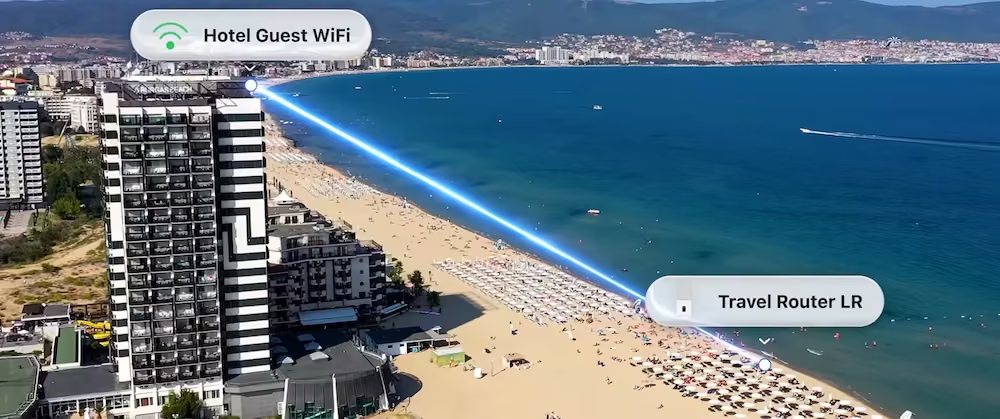
There is an image in Unifi’s announcement video that has stuck with me; where the travel router is connecting to a “Hotel Guest Wifi,” and of course the only available access point is somehow the top floor of this apparent high-rise building. Can this distance from an access point be done in the real world? My gut says no, but testing for this specific environment would be difficult too. Happliy, I have had no issues connecting in any real-world location.
One note: I have not seen or used the standard range version of this product. There are likely comparisons out there between the two, but if I were looking for a travel router from Unifi, it made sense to get the longer range just because you never know.
Other cool features
The UTR presents some useful scenarios when you’re away from home. One of them being in a hotel or a conference network with guest isolation enabled. With the UTR and and a Flex switch, you could get a few clients connected and talking to each other and as a bonus they’ll see your home/office network including local file sharing servers if you need them.
Certainly, you can imagine this being useful too if you travel with family and even take your Apple TV or something like that. Get the travel router up and connected and they all seamlessly connect to your known wireless network. No fumbling around with wifi and captive portals for everyone.
Verdict
The big question is whether I’m adding to my everyday travel bag? Yes, its earned its spot. The UTR a great tool to have at your side if you’re in the Unifi ecosystem and out working from public Wi-Fi connections often.
-
I can see Unifi attacking this issue in future iterations. It’s just too long to wait. ↩︎