

Spec Sheet Viewer – CWL Software of the Past
When a client approached me and asked for an application to help them search for and bring up specification documents, I thought it was something I could help with. One caveat, however, was that the database referencing these documents was a Microsoft Access Database. Perhaps even more interesting was that files the database referenced were scattered across a vast Novell file server. If I recall, the original database application could not be developed further because they’d lost an admin password or something like that. Today I take another look at software I’d written in the past.
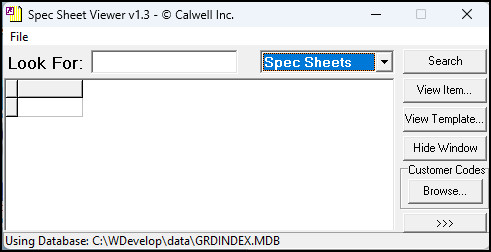
Using Spec Sheet Viewer had to be simple. The user entered a specification sheet number or code and Spec Sheet Viewer showed a table of matching items. The user would select the item they wanted (or stay on the first) and press CTRL+L to launch a PDF viewer and load or print that spec sheet. This was installed on all production computers, and some didn’t include a mouse, so workers needed maximum flexibility.
They also had the ability to look up customer codes and search for every spec sheet by customer. If one didn’t know the customer code, there was a lookup tool to browse that list alphabetically:
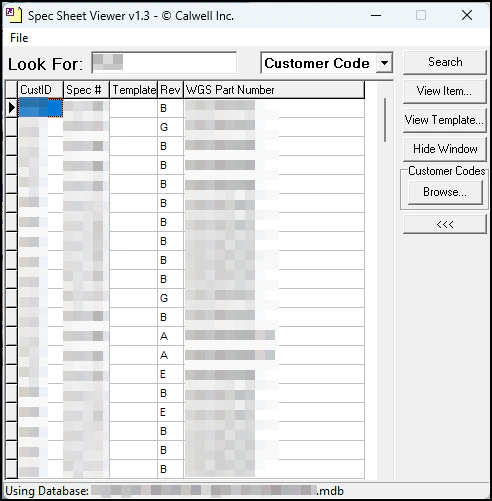
Of the core applications I’ve written this one is the most likely to still be in use today. I can see ii somewhere on a laptop on the production floor of that customer. The production plant has long shut down by now, but the company itself lives on. Recently, I tested Spec Sheet Viewer and it still works today on the newest Windows 11 operating system1. Sadly, this program is so hyper-specific that it would be difficult to turn into something useful elsewhere.
- Even though Office 365 Access won’t even open the damn database. ↩︎