

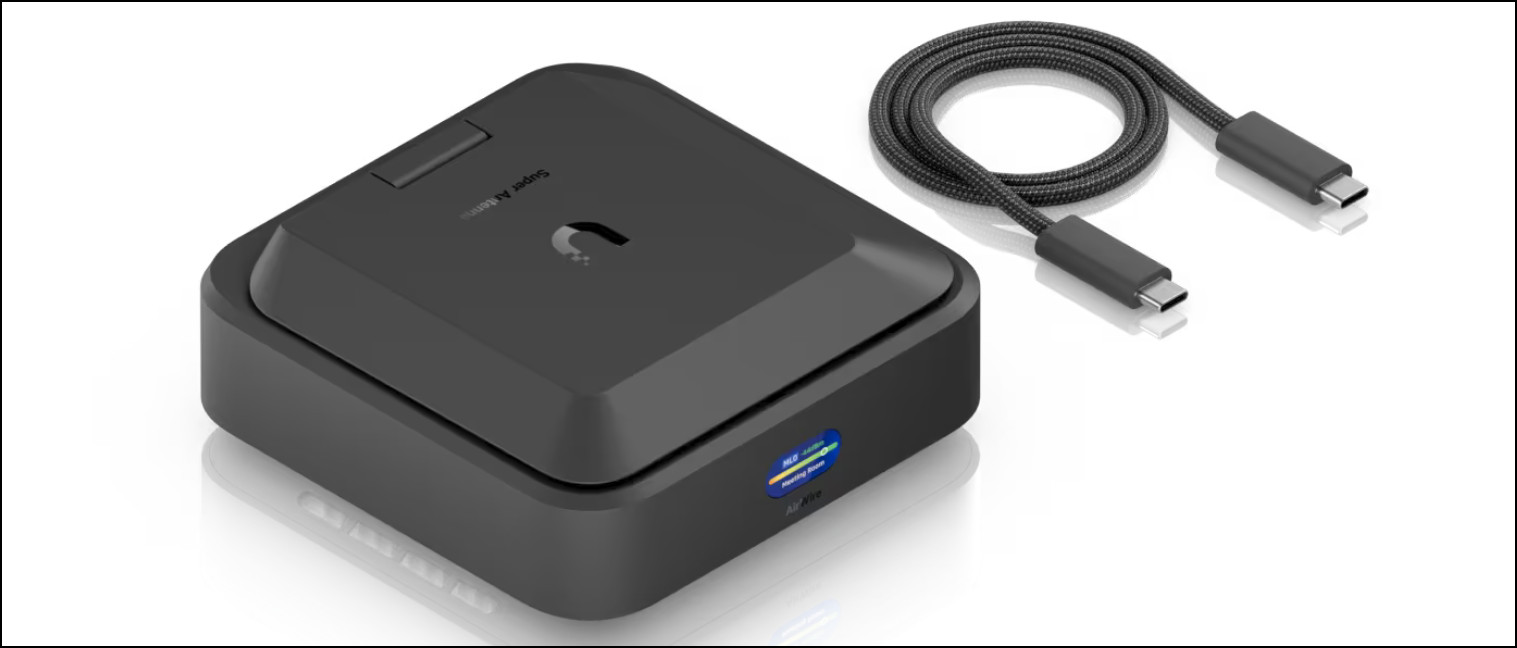
Unifi AirWire – Leveling Up Your Wireless Connection
The $285.00 CDN (at time of publishing) AirWire wireless network adapter is a bit pricey for the average user. The promise of this device is the ability to use multiple wireless streams to exploit faster than gigabit bandwidth without wires. This uses the new MLO technology from Unifi. With all this bleeding edge I wanted to try this and see how well it would work. The wireless access point used for this test was a U7-PRO-XGS connected to the network at 2.5GBs, so getting past 1 gig should be doable with this device..
Quite unexpectedly, after connecting to the desktop via USB-C, it showed up in Unifi Network as a device to adopt. There was no interaction her with the mobile application, which is fine with me. The adoption process took longer than I expected this way so I returned to the Unifi mobile app and Bluetooth and attempted the adoption from there. With or without the app, the AirWire sat with “Ready for Adoption” on the screen and doesn’t change from that for some time. After about five minutes, which likely included a forced update on the device, the AirWire was adopted by way of the mobile application. Once it appeared in Windows 11, the network driver was “Realtek (R) USB Ethernet Controller.” Startup of the AirWire takes quite a bit of time and the device runs pretty hot. be warned. In my case, it may have even gotten stuck in a reboot loop.

While the computer’s USB-C port only supplied 15W, I had the sense this might be the reason for the constant reboots. I connected power into the AUX port and booted the device. The AirWire was then getting 20W of power and finally stopped rebooting endlessly and connected. Not the best start to this considering the AirWire does not come with a power brick for the AUX port or any sort of instructions or caveats. With the AirWire up, it included a similar nifty finder tool on the LCD and in Unifi network to help get the best direction for picking up signal. You want to get as far into the green as possible and given where my AP was, a little over halfway was a good spot.
Transferring a large file to a server with a 10 GB connection yielded some respectable transfer speeds. I ran a YouTube video at 4K and it seemed to handle it just fine. I then pushed things to viewing an 8K trailer for Top Gun on YouTube and there was some buffering. Switching to Dune: Part Two trailer at 8K, the buffering was limited and the trailer played without pause. These are not the best tests, but I thought it was interesting.
More pressing perhaps was how the connection would occasionally drop. This flakiness didn’t seem to be because of a limited signal given the AirWire was still in the green zone at 50 dBm. In Windows, the network adapter completely dropped off and showed “unplugged.” Disabling and re-enabling did not bring it back. Reconnecting the USB-C data cable did not reconnect the computer. Restarting the AirWire from the Unifi Network console (and a different computer) and again reconnecting the USB-C cable and the.connection came back. It would take about 20 minutes before, again, the connection dropped. The other mesh device on the network was working fine. In the Unifi Network console, the AirWire appeared to be functioning normally.
A little online searching and I found that Windows’ use of a crappy Realtek driver caused a ton of issues. That a new driver could be found here. Downloading and installing version 115X.22.20 changed the driver name to “Realtek USB 5gbe family controller.” and appeared to vastly improve the connection. But, does the connection really improve? Let’s take a look at performance.
Performance
Before connecting the AirWire, I took a test of the speed while connected via LAN cable to a Device Bridge Switch. This wasn’t the fastest gateway to the wireless connection, but it would give me a bit of a baseline. In iPerf3, this desktop computer achieved the following average speeds:
[ ID] Interval Transfer Bitrate
[ 5] 0.00-10.00 sec 991 MBytes 831 Mbits/sec sender
[ 5] 0.00-10.12 sec 990 MBytes 821 Mbits/sec receiver
Once the AirWire was functioning (but unreliable), I conducted the same test with iPerf3 and these were the results:
[ ID] Interval Transfer Bitrate
[ 5] 0.00-10.00 sec 1.48 GBytes 1.27 Gbits/sec sender
[ 5] 0.00-10.01 sec 1.48 GBytes 1.27 Gbits/sec receiver
Good, but the connection was clearly unstable. After correcting for the numerous issues encountered, another test yielded some promising results while the connection finally stayed up reliably:
[ ID] Interval Transfer Bitrate
[ 5] 0.00-10.00 sec 2.34 GBytes 2.01 Gbits/sec sender
[ 5] 0.00-10.01 sec 2.34 GBytes 2.01 Gbits/sec receiver
Final Thoughts
My experience with this device is somewhat limited, but in this time it has shown itself to be rather difficult to setup and prone to issues. The power you supply this device will be crucial and without a power block in the box, you have to fend for yourself. The promise of improving bandwidth past a gigabit port is super enticing, but without the chaos on setup, this might be too much of a headache for users. But once connected, this device has been very stable. In contrast, an entirely different way of getting to the same point (MLO Mesh) with the UDB Switch had a easier setup and has also been reliable if not slower.