

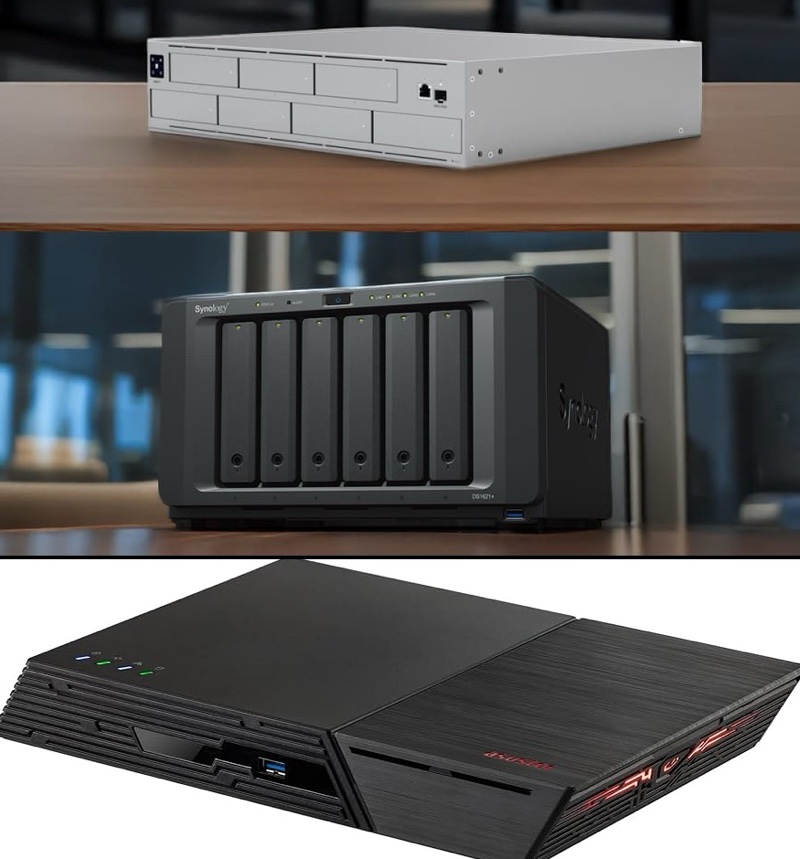
Unifi vs Asus vs Synology – Three NAS Devices Head to Head
Today I wanted to look at three different modern Network Attached Storage (NAS) devices – the ASUSTOR FS6812X, The UNIFI UNAS 8, and the Synology’s DS1821+. Naturally, this is not going to be a complete apples to apples comparison. The ASUS NAS I’m testing, for example, uses native solid state NVME hard drives, wile the others use 3.5″ mechanical drives primarily. But, the spirit of this comparison will measure the relative differences, strengths and weaknesses of each of these systems. What’s common between all NAS devices is the idea of a storage pool and managing drives, file sharing over the network and some kind of internal application store to get new features. Most NAS’ now will also run tools like virtualisation and docker although Unifi is unique in tha none of those things is supported.
Asus
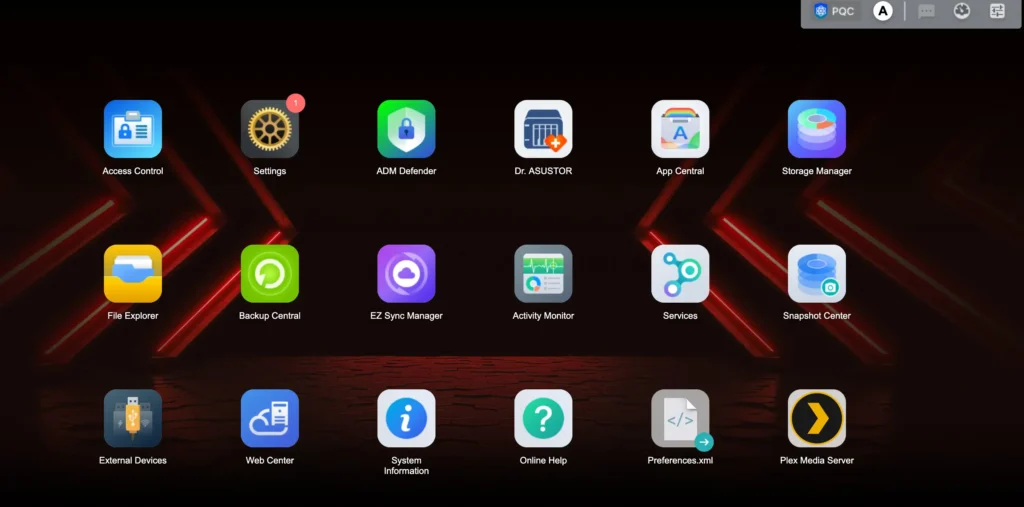
Asus seems relatively new to the NAS game (even though they’ve been around since 2012), but they’re quite unique in that they offer the only ASUSTOR NAS device that uses NVME Solid State Hard Disks. The model I’m using is FS6812X which supports a staggering twelve SSD drives. With how expensive these drives have become, it may cost you a few dollars to outfit twelve large NVME drives, but you’ll see benefits in speed and reliability1.
The storage management tools are straightforward and standard. They work well. The overall interface of the NAS is quite bare bones, however. As with other NAS’, you’ll want to format the volumes in btrfs to make use of snapshots. This software comes with a feature like Synology Drive called ASUSTORE EZ-Sync, where files from the NAS are synced with clients dropbox-style. I wanted to love it as much as I do Synology’s offering, but the lack of support for Files on iOS and the roughness of the product left me wishing for more.
While not as business-ready as I’d like, this NAS is a great device for a media server, sharing video with Plex installed, for example. Or, as a file sharing device on a 10 GB network for direct audio/video editing. If you are a self-hosting enthusiast looking to dip you feet in the water, this may also be a great option.
Unifi
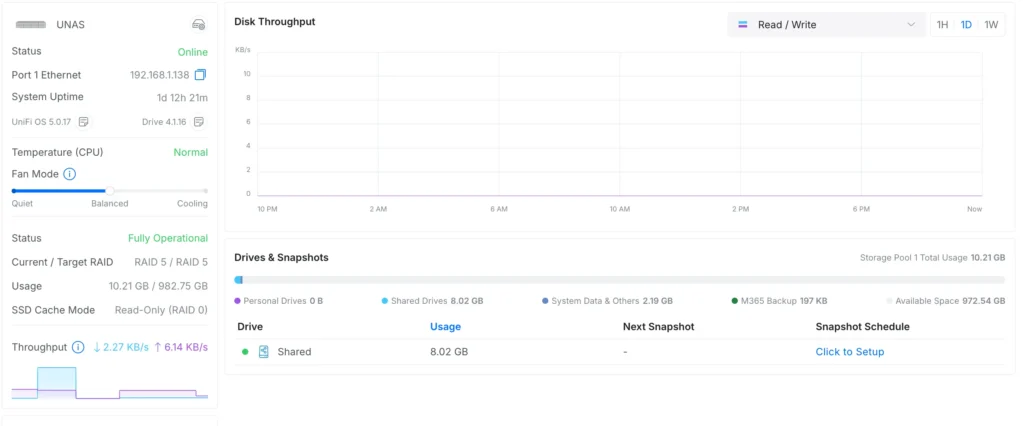
For a company that has done well with cameras and network gear that leans heavily on storage, a NAS seems like a good fit. To date, they have a number different NAS devices to choose from and eight drive NAS all the way down to a two drive model. They all use similar software called Unifi Drive. With the 4.0 release of Unifi drive there is the addition of backing up Microsoft 365 and better fine tuning of SMB connections. The software as it is is quite limited. My recent review uncovered a great storage device, but lacking in the best software features. What the Unifi NAS device lacks is software and utility. It’s, at best, a file sharing and backup target. Unifi doesn’t even offer a basic file synchronization service thought its Drive product deserves a closer look. The app (called Identity) includes a mobile and desktop application and provides access to files on the NAS locally or by way of drive.ui.com over the Internet, though this seems clunky at best. There is no desktop file sync tool, yet. It’s a big blind spot for these devices that are well-priced in the market.
Props to Unifi for the looks of their rack-mount NAS. It’s an all-metal sleek looking device that fits into a rack beautifully.
Synology
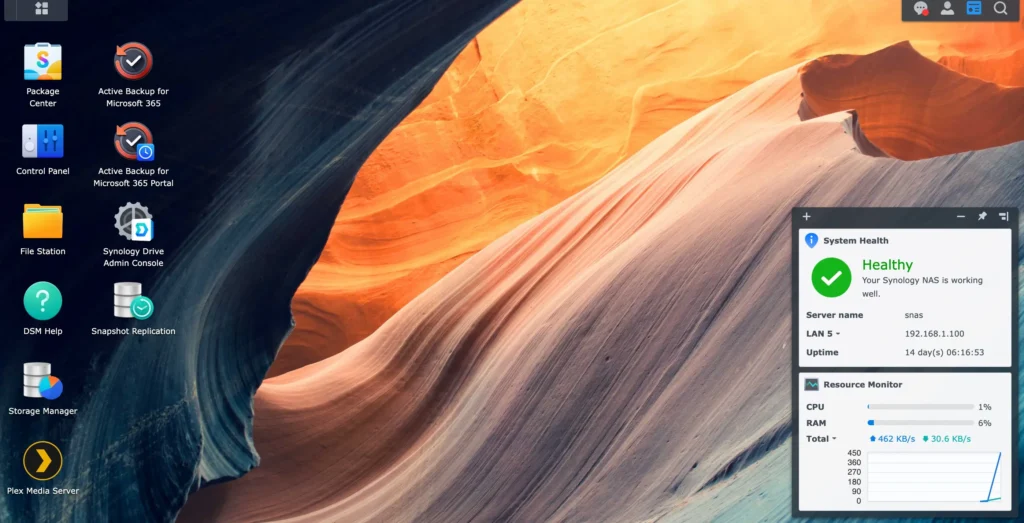
Easily the best of the bunch, Synology had a tough 20252. They forced buyers of their new product to use on Synology-made hard disks. This sent shock waves throughout the Internet. Later that year, Synology walked back that requirement. The power of Synology’s NAS lineup comes in being able to throw as much storage at the tools and features they offer.
And that’s a ton. From the reliable Dropbox-like sync tool that uses your storage (Synology Drive), to using the NAS to backup multiple 365 or Google Workspace tenants to the ability to create immutable snapshots. Synology runs the gamut of other software tools you’d expect including Docker and stuff like Plex and Apache. Standard also are the file sharing protocols and storage management tools. Diskstation, the software the runs on Synology’s NAS is a solid and well-rounded offering that fits into business use very well. If only Synology dropped a 4 or 8 bay native NVME NAS, now that would be a great product. As it is now, NVME’s are only supported via two slots3 on specific models.
Final Thoughts
As is often the case, it boils down to what you want to do. If you are looking for robust native software and a more business-centric approach, Synology is the best choice for the powerful features and solid operating system. As a second choice, I’d pick ASUS only because of the wealth of applications.supported and fast drive configurations. Unfi’s NAS has a way to go, but that platform has potential to be great. Don’t could Unifi out.
I don’t include QNAP here, but they deserve a mention. They’ve had some serious issues with recent hacks, but they’ve also been in the NAS game for longer than I can recall. While I did not have a device on hand to test at this time, I would have included them if I did.