


In mid November of 2025, a web property I manage had the distinction of being compromised. Locking this site down had been difficult because of how many had permission over the installation. Too many things change, too often. None of these things I could control, but when it broke, they came to me for the fix. In I.T., this is usually not a position we want to be in, but sometimes I relish this kind of challenge.

The problem I set to tackle today related to the glut of cwl.cc page references found on search engines that were of no value outside. How was I going to remove these in the most elegant way possible? In 2015, I actually covered this solution, but ten years later, I came at it again with a new theme and fresh eyes.

I’m tired of WordPress. I’m not the only one too. If you use it, you’re also sick of that bloated CMS. Swooping in to save the day (sort of), has been the mix of Markdown and what’s called Static Site Generators (ok, maybe this is technically a flat-file CMS, I get it.). They’re all the […]

This new editor is feeling like Wordpress is trying to empty Lake Ontario with a bucket. It’s a futile gesture, but maybe it’s the gesture that counts? It’s like the world is craving no more sequels to movies, but when you give them something original, they don’t show up. Wordpress, you’ve got a fight ahead of you.
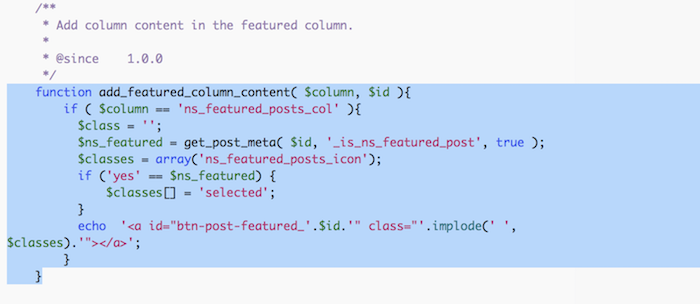
Wordpress. Incredibly customizable, but often incredibly frustrating. One such specific case is where themes can feature posts in a widget, but don’t always offer a way to set each post to do so. In my current theme’s case, it’s based on Orca and the theme has a “Featured Posts” widget, but there doesn’t appear to be an easy way to set a post as featured. I’ll show you how to modify a publicly available plugin to make this possible in Wordpress’ admin interface.
If you run a WordPress [1], and you to search Google’s index using the site parameter – namely, site:%yourdomain% – you’ll probably find that Google has also indexed all of the archives, categories, and tags of your site. For many, the first impulse is to delete this from Google somehow or maybe use robots.txt, or some other method. But, I’ve found the solution is easier, and I’ll show you how to do it (without a plugin).

I interview the folks over at VivacityIT and learn more about the WP Twitter Autopost plugin, the company, and even India.
If you’re a self-hosted WordPress blogger, here’s how to make the most of Twitter right now.

While working to move this site to using encryption, I have come across another painful reminder of how inadequate the Facebook comments plugin really is. When changing the url (and ultimately the domain) of this site from http://cwl.cc to https://cwl.cc Facebook doesn’t handle the change very well. What I’m left with is losing another swath of great comments and thinking of a fix.
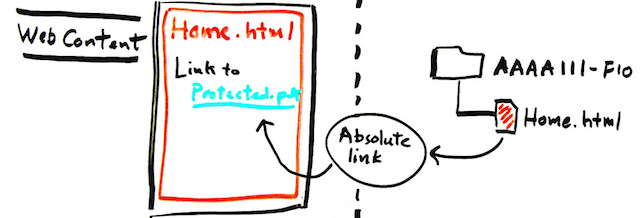
As a blog that runs on WordPress, this site is bound to the glorious options that are presented by this tool; but also many of the limitations. I’ve worked with WordPress in a number of ways, but one that seems to be most tricky is its internal linking. Out of the box, WordPress won’t offer you the ability to show internal elements (such as images) with a relative URL.
- 1
- 2