

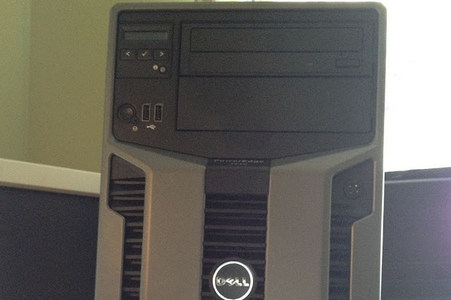
The higher-end (and much heavier) server tower offered by Dell as the PowerEdge T710 is one heck of a monster. Measuring more than a few inches deeper than the lower-end T410 server, this bad boy looks to be built for power and speed. Today, the plan with this PowerEdge T710 is to set it up as […]

The problem is, that most Linux systems feel like, well, Linux. What if there was a Linux version aimed directly at Windows users? There is probably more than one, but one I wanted to look at was Zorin OS, let me show you what I think.
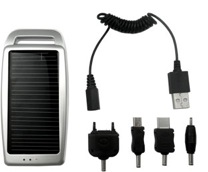
I wanted to take a look and give it a try. The packaging indicated support for the iPhone and iPod devices and look to have a number of different connectors to use. Heck, it was $14.99 too, so you really can’t lose there, right? I’ll take you on a tour of how this device works, what I liked and what I didn’t like about it – and whether I think this is a useful tool for mobile users.

The pace of cloud file storage application releases have been fast and furious. Now that Google’s Drive is here and some of the more popular services in this space are Dropbox (Sign up here and get 500mb free), SugarSync, Bitcasa, and Box.Net. Today, I was invited to check out a new file storage service from the creators of Logmein called Cubby and I wanted to take a look at how this works.

After what seems like waiting forever – Google Drive is now live and available. More details are coming in, but if you have a Google Account, you can access Google Drive at drive.google.com.
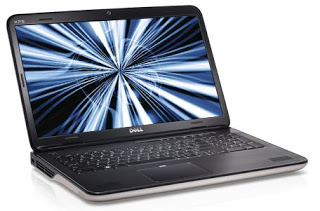
But, despite the size (or because of it) you’re treated to a huge, wide screen, a full size keyboard with a number pad and allot of wrist space. Given how big this is, you might be surprised how sleek the outside looks. There is a nice metal sheen on the palm rests too. Today, I’m going to take a closer look at the XPS 17 laptop by Dell.

One product that seems perpetually locked to the world of desktop software is that of the Accounting Package. Sure, there are CRM applications like Salesforce that have made the “Cloud” more viable for that market. But, in the small to mid-sized business market – the dominant tools for accounting still remain desktop versions of Simply Accounting, Quickbooks or BusinessVision. Intuit is looking to change all that with a new product seemingly targeted to Canadian Businesses that the desktop version of Quickbooks might handle.
This is great news from Microsoft. In a recent blog post (read it here), Microsoft announced the different versions of Windows that will be released. In essence, they’ve whittled this list down to four different versions. I have, for some time, thought that there were way too many versions of Windows, causing a large amount of confusion in the market (for consumers). In this recent announcement, Microsoft is smart to remove some of the confusion, but is it perfect?
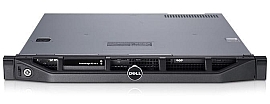
When I was able to get my hands on a Dell PowerEdge R210 II Server with Windows 2008 R2 pre-installed, I was looking forward to relaying my thoughts about this one. After ordering, this server took about a week to arrive.
Looking at permissions dialogs for both Windows 7 and Windows 8, you’d be forgiven if you thought they looked exactly the same. Essentially they do, but the changes that Microsoft have brought to permissions appear to be more involved when you go past the surface. One of the most common things an IT Guy/Girl or administrator will have to do […]