

One particular situation the group policy is great for is to control some of the Office 2003/2007 settings that you might not want the user to mess with. Users often have the habit of just saying yes to questions like “Do you want to Autoarchive?” and then looking confounded when they can’t find important email messages.
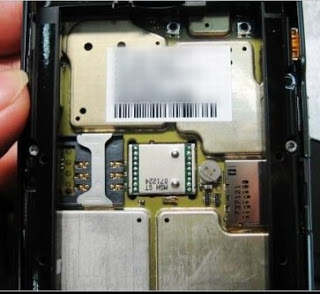
Using an unlocked GSM cell phone. I’ve known this was possible for some time, but I had not really attempted to do it. When I recently purchased a Blackberry Bold smartphone unlocked, I planned to attempt local roaming of data instead of using Rogers for this purpose.
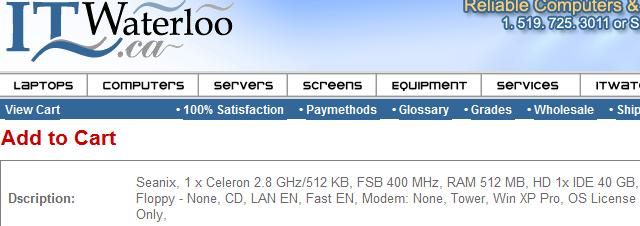
Here’s the problem – they sell you a computer with what they call “OS License Only”. This computer is shipped to you with a blank hard disk, no CD-ROM of Windows to install with and simply a sticker on the outside case of the system to install with. You are not given the option to have the CD shipped to you – nor are you given details on the history of the computer or that copy of Windows.
The conventional methods of destroying data on a disk all relate to connecting the drive physically to a computer and using some sort of bootable media with an application on it to destroy data on the connected hard disk in a secure manner. This is the conventional way. I wanted a method that would be faster and more versatile than this, so I attempted to look for a free way to destroy data securely on an externally connected USB disk in Windows.
I was intrigued to find that a new version of Windows PE had been released and it was labeled as 2.0 or “the Vista version” if you will. One of the biggest enhancements that I could see was the hot plugging of USB devices… so I went looking for it..
If you’ve drooled over the new crop of Blackberry devices, your probably one of the many Palm users who have mulled over the switch from Palm to Blackberry – but are unsure as to the compatibility and the convertibility of your Palm data. This article will tell you everything you need to know about moving your data across platforms, what you can expect to loose and what is possible.

The program is free, and Open Source and can be used in a wide variety of situations. While you can now control port numbers easily in the interface – you may want to know how port numbers are changed on a Windows system.

Recently a major problem befell one of my bigger customers and I was at a loss as to the cause of this issue. Many different causes were thrown around and a few methods were used to eventually solve this problem. This article will describe the symptoms of the problem experienced and the method I used […]
Learn how to create a DLL file and use the Win32 API to gather information
After deciding it was time for me to explore the process of making a DLL file in Delphi, I started to think about where this might be applied. I decided a DLL would be the perfect solution to my problem. I needed the ability to create a system information utility that was reusable in Windows. A DLL as defined in the Delphi (v5) help files:

I have been out of the OEM pre-installation game for quite some time now so it’s hard sometimes to get access to new versions of OEM Microsoft product and have the time look them over. Recently, I was overjoyed to have access to the pre-load tools and disks for Windows Millennium Edition (supposedly the last in this line) and Windows 2000 Pro.