


If you are a Facebook user, you really can’t help but have “friends” on Facebook. You may, however, want to keep all of the friends you have as ONLY close friends. Over the years, Facebook has really changed the friend request process to the point where now you can’t outright deny a friend request. Based […]
With new features in Google Translate in version 2.0 like Conversation View, you really want to get your hands on this application. Attempting to do a straight update will cause you to get a number of error messages and will cause Translate to disable one of the main features – the ability to say or speak translated text. Here’s how you can fix this issue on your G2 phone
In this small sliver of time, I would attempt to take a good look at email clients in the age of servers running POP3 and IMAP for access. Also, at this time you couldn’t use POP3 for most of your free mail accounts (such as Hotmail). As always, I’ll look at my previous work through a, older, and possibly wiser lens while you marvel in watching my path of self-discovery.
This is a quick post on how to get a screen capture from your Android G2 (or Desire Z in Canada) smartphone. The process (as of the time of writing) is not so easy to get around for phones that are non-rooted – but if you would like to avoid rooting your phone, here’s how to get […]
While the device is certainly not stacking up favorably against the iPad in various reviews, I still see allot of great utility in this – and possibly the device that makes me ditch my phone – and converge book reading, phone (*) and email among other things. The Galaxy Tab is the first real major Android tablet. If, however, you are a WIND Mobile user – there are a number of things you need to watch out for right now if you want one of these.
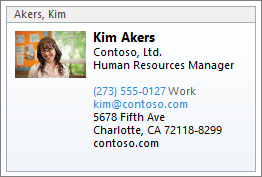
he vCard is a small text file (usually with the file extension .VCF) that contains contact details in a specific format that mail and contact applications can easily read. often you see email clients such as Outlook automatically generating vCard files and attaching them to outgoing messages – but you want more than that. You want to share your vCard with anyone and everyone and don’t want to be limited to using Outlook to do that for you. Here’s how you do it.

This post is a simple follow-up to the great and useful post I found on winextra.com. There, you are given details on how you can set Gmail to your default mail client on Windows. I wanted to take this one step forward to those corporate or Google Apps users that have custom domains. Even more useful, what […]

You just got your shiny new iPad and plugged it in, you even hightailed it to the couch to relax while using it. Your WiFi connection is good, now it’s time to check out the news on trusty Google Reader. To your surprise Google Reader doesn’t support keyboard shortcuts, nor does it support the “sent to” menu. Until Google does, here’s how to do it (without having to install a paid iPad app).
If you look to Microsoft for the “Official” word on getting mail data out of the OST file, you’ll be met with “not possible” or “not supported” or some version of those words. In the world of IT, when you need to get at user’s mail data – “not possible” is not going to cut it. Here’s how you can get some (or all) the mail data out of OST files.
Eventually their Twitter stream starts growing to point where they can’t possibly keep up with all the tweets. A new study by PARC and MIT sheds some light on this problem and they even offer a new client.