


You might have heard talk of a new way to secure systems and that it involves something described as Two Factor or 2FA. What you need to know is that it’s an extra layer of protection on your accounts that can protect you from hackers. The idea is that while a hacker may have gotten […]
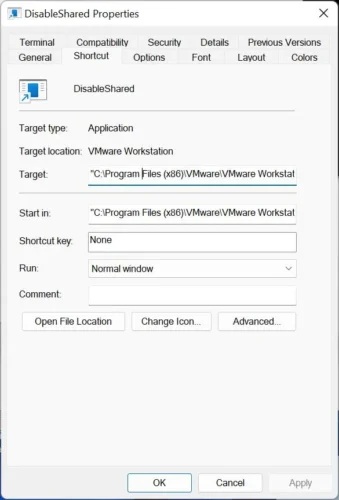
Let me set the stage. You’re working with a Windows Virtual Machine and you want to install an application you suspect is, shall we say, malicious. So, you connect to the VM’s shared folders, copy the installation files locally and want to shut off folder sharing. This process takes more than 6 clicks every time […]

Over the years, I’ve used the file manager in a number of different and novel ways. With every new update, the tool gets better and better. In parallel, I wrap a number of things around my copy of Total Commander to make it truly useful on machines I work with and operate. These details are […]

The idea is Quora offers a premium subscription – Qurora+ – that offers ad-free browsing of the site for $50 a year USD. Since the idea of people paying for content is something of an online unicorn, I wasn’t sure this was going anywhere, but I thought I would try.

Like many, I want to create a shortcut on my desktop that directly loads the remote screen in Logmein’s client application. This, however, is not possible. It feels possible, but I may be missing one key component. This article is an exploration of what I’ve discovered about the tool. If anyone out there might take […]

Here’s the problem: I want to use Open Web Analytics (OWA), but I want to install it in a Docker container. With no official Docker image to draw from, I’m left with poorly maintained alternatives. In this article, I’ll take you through how you might use an older docker image, update it and get the […]
For anyone who runs one or more docker applications, a huge challenge is to keep containers running smoothly with updated images. You could force updates with tools like Watchtower, but these may just automatically break your applications. Here are some of the ways I make sure docker applications stay up-to-date while failing as little as possible. This only covers docker run/create and docker-compose (for now). Here’s what I do.

I’ve been delving into Docker more and more, and recently, the internal bridge networking that docker supports. This generally allows containers to have their own IP address while communicating with other containers internally, the outside network externally. Most docker-related posts and setups don’t delve too deep into this aspect of docker (that’ll be another post), but the process for me has brought on some challenges. Today, I’ll show you one.

The cloud isn’t always your friend. Google, for example, seems to imbue its entire system with pay-for-storage incentives. Two easy clicks and you can pay money just to hold onto older mail. But, maybe you don’t need them to store your old mail. Maybe you can do this on your own, simply and easily. You […]

Discourse is a popular forum tool available as a self-hosted open-source tool. It can be installed bare-metal on Linux, but the Docker installation is one that I found most interesting. Unlike most Docker-implemented tools, Discourse has a script that runs outside of the docker containers (on your base machine) to set up the tool. This monolithic script (./discourse-setup) seems to do many of the things that docker-compose does, but obviously worse. I’m no fan of doing things this way; especially when the base alternative is nowhere on their site. My challenge this time was to build a basic docker-compose.yml that would get Discourse running in a test environment. Here’s what I did.