


As I was reading, I started feel somewhat uneasy, as if something was wrong with what I was reading. Someone from Microsoft was writing that choice is a good thing, and that we should choose to check out Internet Explorer 9 (IE9)? Really? Seriously, yes, go take a look for yourself. This is unusual in a number of ways, especially the “choice” of words. I really found myself more interested in what was missing from this article more than what was included.
With it’s release, you’re going to want to know all of the details about what’s new, where to get it, the best way to get ahold of it and whether it really is worth updating. If you would like to just grab the installer, go here. For more details, read on. To get the installer package, you’ll need to pass Windows Genuine Advantage Validation.
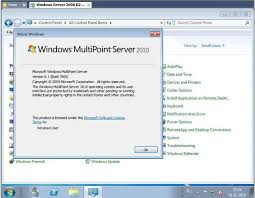
This has certainly flown under the radar for me. I’ve seen most Windows versions, but not this one. Here’s the idea behind MultiPoint Server – say you have a very limited number of computers available to you, but you want provide a number of users each access to a unique desktop experience. Yes, this is […]

Microsoft is a dominant player in two major software markets: Operating Systems (Windows) and Productivity Software (Office). This dominance, however, is being threatened on a number of fronts. Windows Vista was a major misstep for Microsoft and without Windows 7’s success, Mac and Linux derivatives would be gaining faster. With the changing market (resurgence of the Tablet), touch screens, and […]

he document covers quite alot of information regarding the newest version of Office versioned at 2010. Microsoft is very good at hiding useful information in a mountain of pages. Since I took a good look at this, I thought I would relay some of the more interesting details about this document.
The Starter Edition of Office is intended to be installed on New and OEM computers and is ad-supported. This copy of Office is intended for free use and only includes limited-feature copies of Microsoft Word 2010 and Microsoft Excel 2010. It will run only on Vista SP1 and Windows – with no support for Windows XP.
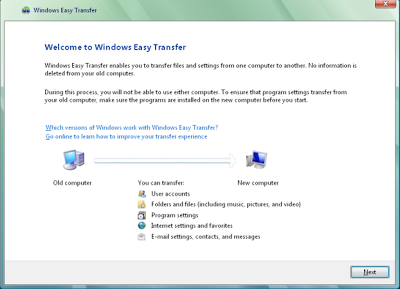
What Microsoft effectively did was force millions of loyal product faithful to use their “Easy Migration” tool. Sure, easy, but a guarantee that most users understand how Microsoft really sucks. Don’t think this a major fail by Microsoft? The fact is, you may not even know what you’re missing if you haven’t seen what’s possible otherwise. The answer is in the process of migration on both platforms. Let’s take a look.
You might have heard of the Windows 7 GodMode – which is simply a link that allows you to view all of the Control Panel icons in one shot. To get this to work, you’ll want to create a folder in any directory on your system and give the shortcut this name. There are more things you can do, though.

Earlier today I read a blog entry by Randall C. Kennedy of Infoworld that spoke of a world without Microsoft and Windows that would be more of an apocalypse. At first, I thought: “This is junk, I wouldn’t share it” and I kept reading. After I finished the article, I just sat on it and I kept coming back to how utterly ludicrous it was.

The recent fighting, twitter movement, and protests over the support of HTML in Outlook 2010 had me thinking what Microsoft would need to do to set themselves apart and really do something special. Microsoft needs to offer Outlook 2010 (Without Word HTML rendering) for free when they release the 2010 version of their Office product.