

With it’s release, you’re going to want to know all of the details about what’s new, where to get it, the best way to get ahold of it and whether it really is worth updating. If you would like to just grab the installer, go here. For more details, read on. To get the installer package, you’ll need to pass Windows Genuine Advantage Validation.
Allmyapps looks to be a Windows-Based application store more like iTunes than Ninite – but they really didn’t get any help when they went to Robert Scoble, and I guess I don’t blame Robert. A Windows app store? It seems like the guys at Allmyapps even know this themselves. Seeing all this, I was interested in the product itself – so I took some time to get to know it. The first try didn’t go so well since I couldn’t even install on Windows XP without an error.
Running applications without installing and having cloud access is definitely an intriguing concept, and, done right – this could be a very disruptive service. I imagine having a location where I could get at any of my most-used utilities fast and easy – or being able to run new software for testing without spending the time on installation. Let’s see how well Spoon.Net lives up to it’s potential.
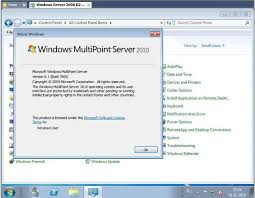
This has certainly flown under the radar for me. I’ve seen most Windows versions, but not this one. Here’s the idea behind MultiPoint Server – say you have a very limited number of computers available to you, but you want provide a number of users each access to a unique desktop experience. Yes, this is […]

Microsoft is a dominant player in two major software markets: Operating Systems (Windows) and Productivity Software (Office). This dominance, however, is being threatened on a number of fronts. Windows Vista was a major misstep for Microsoft and without Windows 7’s success, Mac and Linux derivatives would be gaining faster. With the changing market (resurgence of the Tablet), touch screens, and […]

Since I wasn’t able to actually get Soluto working the first time around – I decided to wait and try again. Well, today is that day, I finally have access to Solulto’s cloud network and can put it through it’s paces. Here’s what I found.
What Soluto intends to do is allow the user to focus on the boot process, identify what applications are slowing down a computer and then let the user improve this by disabling certain items. Soluto has also embarked on creating what’s called the PC Genome which looks to map problems and solutions in a large database allowing for future streamlining of the solution process.
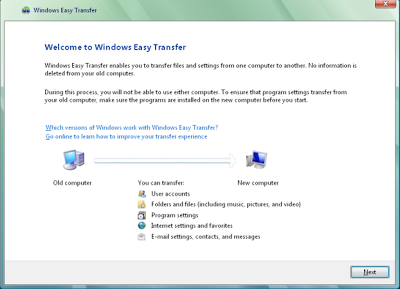
What Microsoft effectively did was force millions of loyal product faithful to use their “Easy Migration” tool. Sure, easy, but a guarantee that most users understand how Microsoft really sucks. Don’t think this a major fail by Microsoft? The fact is, you may not even know what you’re missing if you haven’t seen what’s possible otherwise. The answer is in the process of migration on both platforms. Let’s take a look.

Also, installing from USB allows you to directly edit files (if you use an answer file or OEM drivers) and you’re installation will be a much faster process than reading off a traditional optical disc. In fact, if your computer doesn’t have a disc drive, it likely does have a USB port that can be booted from.
You may be all too aware of the coming expiry of the Windows 7 Release Candidate running on your computer or you may be finished with the Windows 7 trial version that you have running on your computer. No matter the reason, you’re just done with Windows 7 and you want to go back to the venerable Windows XP operating system. Here’s how you do it.