

Widely expected to be an announcement of a fresh Windows version, today Microsoft held an event that wasn’t available online. Not having this event streamed online was a disappointment. I have the sense that Microsoft was aware of the Apple iPhone event debacle and decided to forgo the pain (if the stream didn’t work). In that way, it’s a good move.

If you’ve been following news about security and encryption tools, no doubt you’ve heard of the shutdown of popular open source encryption tool TrueCrypt. Given that using TrueCrypt was considered one of a handful of ways for individuals to protect data in the wake of recent NSA spying revelations, this unexpected news has rocked the Internet.
Perhaps a daft move, but VMware Converter (sometimes called P2V or vCenter Converter) no longer allows you to script the creation of a machine image by way of the command line. In this article I’m going to go over a means of automating Converter so you can again use it for a backup.

As many have heard, Windows XP has now entered its end of support phase. This means several indirect things, but the biggest impact will be the end of security updates for the aged Operating System. The biggest question I’ve been asked about this is whether people should freak out about this change.
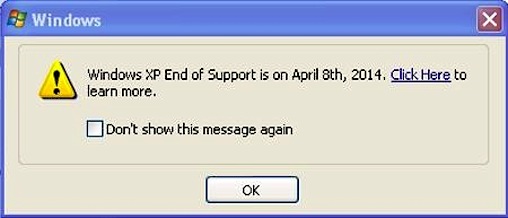
Microsoft intends to push an update to Windows XP that simply nags the user with the above. What’s so shocking and dumb about this, is that there is no real upgrade path for this operating system. The question is then, why bother Microsoft?
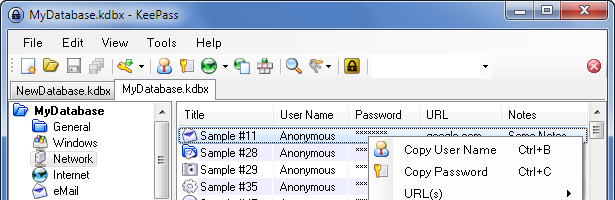
I generally gush about how amazing this tool is – I’m perplexed as to why there isn’t a great version of this tool on OS X. It doesn’t make sense that an operating system so powerful is so woefully underserved in this regard. As a daily OS X user, you too may wonder what the hell is up with KeePass on OS X, so let’s take a look.
Backing up open files are usually difficult. This isn’t exactly easy when the TrueCrypt file may actually be in use. I’ve compiled a list of things you can do to keep these files backed up.
Many users and technology enthusiasts alike have theories as to how the failure of Windows 8 in 2012, could have succeeded if only Microsoft did something different. From creating different versions to allowing the Start Menu from boot to an alternative patch of Windows Phone 7. The more intriguing question, however, is if Windows 8 would have succeeded if Microsoft branched its “Metro” and “Classic” interfaces into two distinct products.
Today, the Internets blew up with news about Microsoft buying Nokia’s devices and services business.
It seems abundantly clear to these folks that using Windows XP past available patches is akin to something like an extinction event. Seriously?