


“Today’s Windows is almost absurdly configurable” – with that phrase, the recent Microsoft Windows Engineering blog gave me the answer I was looking for. This was the reason for the new “Metro” style interface, the active square tiles and the removal of the “Start” button in Windows 8.

You could use Bitlocker on Windows, or you could use an incredibly useful and versatile open source tool called TrueCrypt. Over the course of this article, I’ll show you why you’ll be telling others that TrueCrypt is a CWL best utility.

I’m always looking for interesting challenges, and this one is no different. I came across this question in Microsoft’s Answers forum and I was intrigued. Windows Easy Transfer is actually pretty good for migrating user accounts and pulling out settings, but what if you wanted to use this tool to attempt a full user profile backup (to disk) at regular intervals? Is it even possible in any reliable way to do this?

The problem is, that most Linux systems feel like, well, Linux. What if there was a Linux version aimed directly at Windows users? There is probably more than one, but one I wanted to look at was Zorin OS, let me show you what I think.

Choosing this sort of solution for an office of OS X machines may be a no-brainer, but, what if you wanted to run a network of Windows computers on this server? Would it stack up well to what Microsoft offers? Does it offer the kinds of things you might expect from a Windows Server? Let’s take a look.

After what seems like waiting forever – Google Drive is now live and available. More details are coming in, but if you have a Google Account, you can access Google Drive at drive.google.com.
This is great news from Microsoft. In a recent blog post (read it here), Microsoft announced the different versions of Windows that will be released. In essence, they’ve whittled this list down to four different versions. I have, for some time, thought that there were way too many versions of Windows, causing a large amount of confusion in the market (for consumers). In this recent announcement, Microsoft is smart to remove some of the confusion, but is it perfect?
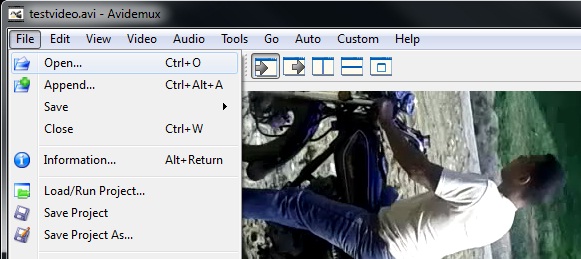
How do you easily rotate my videos so you can post them on sites like Youtube? Well, you’ve come to the right place; I’m going to show you how to use your Windows computer to rotate those videos EASY.
So, it should come as no surprise that I’m quite interested in what can be done to combat threats on a Windows computer with tools you already have. Today I’m going to look at three tools you’ll find on most any Windows flavour out there: Windows XP, Windows Vista, and Windows 7. Namely, wmic and taskkill. This is going to be more of a beginning overview of how you might use these tools to identify and stop a rogue application on your computer
Looking at permissions dialogs for both Windows 7 and Windows 8, you’d be forgiven if you thought they looked exactly the same. Essentially they do, but the changes that Microsoft have brought to permissions appear to be more involved when you go past the surface. One of the most common things an IT Guy/Girl or administrator will have to do […]