

Today we have another free tool for you. In the same category as the Reboot, Log Off, and Shutdown – Reboot Now can be used to force a computer to reboot on a set schedule. Once that time you setup is reached, Reboot Now will force the computer to reboot as cleanly as possible.This small utility sits in your Windows System Tray out of the way doing it’s thing inconspicuously. Read on for more details and download links.
The landscape for encryption tools today is incredibly dense. Certainly, this process is done in many novel ways and with tools that far surpass that of the simple. One of the most amazing encryption tools (for example) is TrueCrypt – I covered it in a recent “That Great Tool” post. While tools like that offer a great deal of options and uses, I’ve always thought there was room for the simple too. CRCutil is just that – a simple way to compare two files or encrypt and decrypt small amounts of text. Read on for more details and a download link for this free tool.

When asking a Tech Support person, or someone you trust to remotely assist you, they may ask you “What is your computer name?” or “Please find me your computer name”. This process can be quite challenging for some people since every new operating system seems to change the process ever so slightly (while manufacturers, don’t).. Well, fear not – I’m going to list the simplest of ways to get that information so you can supply the details you need and move on.
In a more fragmented way, these tools were borne of necessity and never grouped together while I created them in the late 1990s – until now. Today, I give you three new tools to download and I simply call them Reboot / Log Off / Shutdown. Read on for download links and details.
One of the biggest casualties with Windows versions after XP, was the loss of all those settings you could control in the “Display” applet in XP’s Control Panel. They allowed you to turn off a bunch of things that would improve performance for slower computers – and in some cases – take an unusable machine and make it useful again. Are you looking for those settings that will let you “Turn off Window Contents while Dragging” or how to turn off the “Aero” interface? look no further, all the details are here.
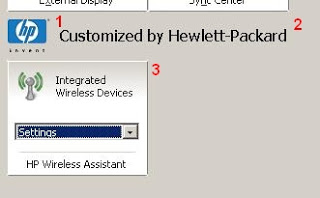
New with Windows Vista (and included in later versions) was the Windows Mobility Center. This great little tool typically allows mobile users to see and control many of the most obvious and useful settings on a Windows machine. The settings are arranged as tiles on a single window with each tile containing a specific setting. Also possible by OEMs, is extending the interface to include other tiles for controlling a system. I thought, this is cool and useful but really, really ugly. I thought, there must be other stuff I can do with this.
I think it deserves to be mentioned that a huge race is on now to find the cleanest and easiest way to bypass the tiled Metro interface (or whatever Microsoft will call it) and boot to what we know as the Windows 8 Desktop. With the Release to Manufacturing Version (RTM) out now, we have a sense […]
On August 1, Microsoft announced that Windows 8 had been released to manufacturers (or RTM). While this is certainly not the biggest news to come along – it’s a good time to prepare for this new version of Windows. Windows 8 is going to be a rather big shift for computing in general, so this milestone also serves as a warning for all users. In many respects, you might find yourself having no choice but to use it, so this is a good time to get ready.
In Windows 8, this service will essentially be renamed File History, but share many of the same underpinnings. The difficulty I speak of, however, is that of the files this service creates, and the ability to make gainful use of them (especially if you don’t have the system to work with).

Clearly, a MAC OSX only tool is not being represented here. Well, for those fans of Total Commander (you know how I feel about that), I have a great OSX tool to show you today. This tool is a Open Source file manager created in the same light as Total Commander. As always, these tools are the kinds of utilities you’ll want to have access to every day if you’re a consultant or a power user.